
 Amazon.ca
  Bestbuy.com
$149.99
DYMO LabelWriter 550 Label Printer Bundle Price comparison



- All prices mentioned above are in Canadian dollar.
- This product is available at Amazon.ca, Bestbuy.
- At amazon.ca you can purchase Baby Toys 0-3 Months: Black and White High Contrast Baby Toys 0-6 Months, Baby Soft Cloth Book Tummy-Time Toys with Mirror for Babies Infants 6-12 Months, Brain Development Baby Newborn Toys Gift for only C $18.99
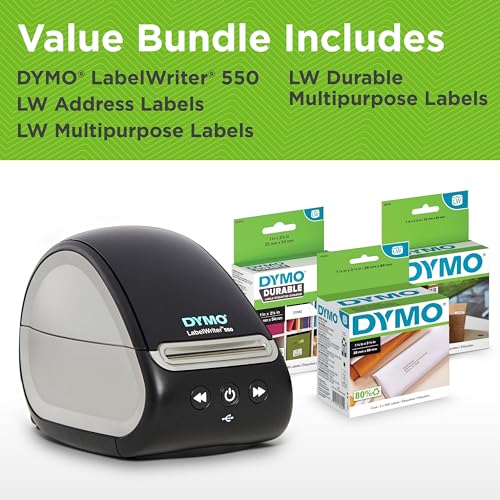
- The lowest price of DYMO LabelWriter 550 Label Printer Bundle Label Maker with Direct Thermal Printing Automatic Recognition Includes 1 Roll Each: Address Labels Multipurpose Labels Durable Multipurpose was obtained on June 22, 2025 13:27.
DYMO LabelWriter 550 Label Printer Bundle Price History
DYMO LabelWriter 550 Label Printer Bundle Description
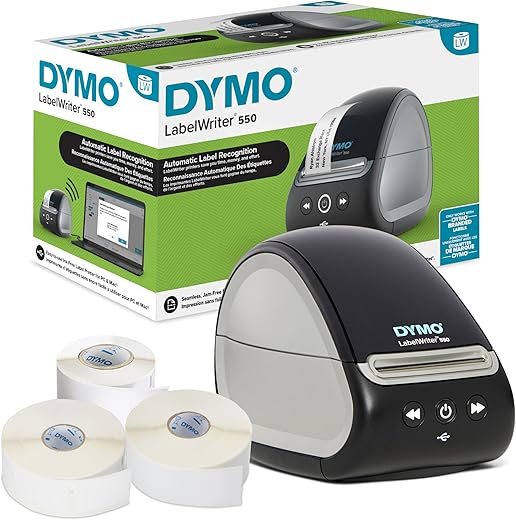
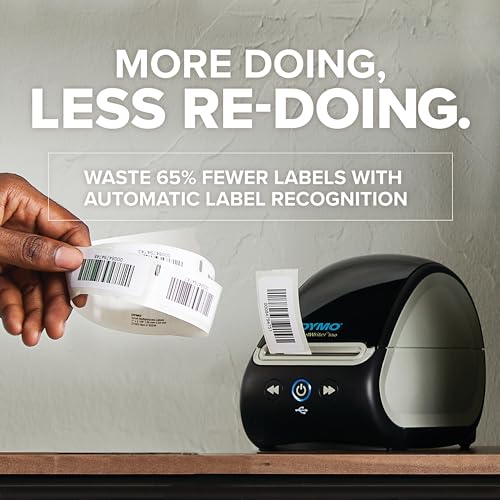
Discover the DYMO LabelWriter 550 Label Printer Bundle
The DYMO LabelWriter 550 Label Printer Bundle is the ultimate solution for all your labeling needs. Whether you’re in an office setting or running a home-based business, this label printer will streamline your workflow with its efficient features. With a focus on reliability and ease of use, this label printer provides everything you need to create professional-quality labels at an impressive speed.
Key Features and Benefits
- Advanced Thermal Printing Technology: Say goodbye to ink cartridges! The DYMO LabelWriter 550 utilizes thermal printing technology, which means lower maintenance costs and hassle-free printing.
- USB Connectivity: Easily connect to your PC with a standard USB interface, making it simple to set up and use right out of the box.
- Compact and Lightweight Design: Weighing just 3.17 pounds and measuring 10.5”D x 5.5”W x 6.38”H, this printer fits perfectly on your desk without taking up too much space.
- Monochrome Printing: While it excels in monochrome prints, this printer delivers crisp, clear text that is perfect for any labeling task.
- High Print Speed: With a maximum print speed of 1 inch per second, you can quickly create labels without waiting around.
- User-Friendly Push Button Control: The easy-to-use controller makes printing labels as simple as a push of a button, enhancing your productivity.
- Compatibility: Perfectly compatible with PC systems, offering flexibility for various applications in the office environment.
- Portable Scanner Type: Includes a portable scanning capability, simplifying your labeling tasks on the go.
Price Comparison Across Suppliers
The price of the DYMO LabelWriter 550 is competitive across major suppliers. On our site, you can conveniently compare prices from various retailers to ensure you get the best deal without the hassle. As of the latest update, pricing ranges significantly, so it’s wise to shop around. Don’t miss the chance to secure a great price for this essential office tool!
6-Month Price History Trends
Our 6-month price history chart reveals valuable trends for the DYMO LabelWriter 550. The printer has shown a steady price range, indicating stability in its market value. Buyers have seen brief dips during promotional events, but overall, the price has remained consistent. This is a reassuring sign for potential purchasers as it reflects a reliable product that maintains its worth.
Summary of Customer Reviews
The DYMO LabelWriter 550 has received predominantly positive customer reviews. Users praise its ease of setup, compact design, and print quality. Many have highlighted how this label printer has tidied up their labeling tasks, especially in busy home offices. The thermal printing feature is a favorite, eliminating the need for costly ink replacements.
However, some customers have noted drawbacks, such as a limited range of label sizes and the occasional software glitches when integrating with older operating systems. Despite these minor setbacks, the overall customer sentiment remains highly favorable.
Explore Unboxing and Review Videos
Curious about the real-world performance of the DYMO LabelWriter 550? We encourage you to check out related unboxing and review videos. These videos provide insights into the printer’s setup process, functionality, and overall user experience. Seeing the printer in action can help you make a more informed decision before purchase.
Final Thoughts
The DYMO LabelWriter 550 Label Printer Bundle stands out in the crowded market of label printers. Its blend of portability, speed, and ease of use makes it a top choice for anyone looking to enhance their labeling experience. By choosing this model, you not only upgrade your office efficiency but also enjoy cost-saving benefits with its thermal printing technology.
Don’t wait any longer to streamline your labeling tasks. Compare prices now!
DYMO LabelWriter 550 Label Printer Bundle Specification
Specification: DYMO LabelWriter 550 Label Printer Bundle
|
DYMO LabelWriter 550 Label Printer Bundle Reviews (8)
8 reviews for DYMO LabelWriter 550 Label Printer Bundle
Only logged in customers who have purchased this product may leave a review.

Alex P. –
I was printing out shipping labels on 8×11 paper and it looked like a child had made the package. Now with this printer I have a perfect 6×4 print on labels and my packages look like any other retailers. Interestingly enough I am keeping my older printer that can only do address labels because I need to still do those.
Note: DYMO Connect software you have to create a NEW label manually to change the landscape/portrait settings. Too me a long time to figure that out. Sometimes I need a portrait print sometimes landscape.
Daniel L Schultz –
Better than the two 450’s I have had for nearly 10 years. Easier to load (use the arrow buttons to pull through). So far, flawless. And this was a refurb unit. Love it.
Edward Jerome –
I bought the Dymo LabelWriter 550 Printer because I have loved Dymo products in the past. But Dymo should stop selling this printer to Amazon, and Amazon should stop selling this printer to people like me.
Like Mike Myers said in one of his Austin Powers movies, this printer is nothing but xxxx.
I am a techy guy and I have been installing and using printers for the past 20 years, and so I know how to install a printer. I downloaded the printer software from the Dymo website, and then I installed it on my Windows 11 computer. Then I connected the Dymo printer to my computer using the included USB cable. Then I plugged the AC cord into the wall and turned on the unit.
The ON/OFF button started flashing immediately. 3 rolls of official Dymo labels were included in box, so I installed one of the other rolls of official Dymo labels into the printer. The label advance button made noise, but it would not advance the labels. Both of these are not good signs of success when installing a brand new printer.
So I called the Dymo tech support people.
The first thing he said was that I probably had a weak sensor or a bad roll of official Dymo labels and asked me to remove the roll of official Dymo tape that I had installed and insert one of the other official rolls of Dymo tape into the printer. I told him no I will not do that. 3 official rolls of Dymo labels were included with this purchase, and I don’t want to keep any printer that will not recognize every official roll of Dymo labels. Next he said that Dymo has a replacement policy already in place for their 550 label printers. (He sounded like this happened every day in his department. Can you say Red Flag?) He said that I could send the Dymo 550 label printer back to the company and in 3 weeks I would receive a new Dymo printer. I told him I need to use this label printer now, not in 3 weeks, so I will return the Dymo 550 to my local Whole Foods Store and buy a different brand of label printer tomorrow. The tech support guy said have a nice day and we ended the call.
So now I am on Amazon looking for a new brand of label printer. Does anyone have any suggestions which brand and model number I can buy from Amazon and be assured that the new label printer and labels will probably work right out of the box, with no calls to technical support? All I want to do right now is to print out QR Codes and maybe some address labels, and maybe later I would like to print out shipping labels so that I can send DVDs to my clients on eBay. Does anyone have any suggestions?
Daniel L Schultz –
Cómo se describe! Bien equipo
J. Perez –
Don’t buy this. Such a chore to use. The 450 was so easy now they have this with label detection I purchased the dumb overpriced labels for $50 and they never work. 3rd one I’ve tried and when I call they tell me the printer is probably bad. How are all 3 printers somehow not working?
Good –
This unit is faster and better suited for my needs
Monica H. –
Pros:
* Intuitive software: The included software makes designing and printing labels a breeze, even for tech-shy folks like me. It’s well-organized and user-friendly, making the entire process straightforward.
* Solid build quality: This label maker feels sturdy and well-made, giving me confidence in its long-term reliability.
* Clear and crisp printing: The printed labels are sharp and professional-looking, perfect for a variety of uses.
Cons:
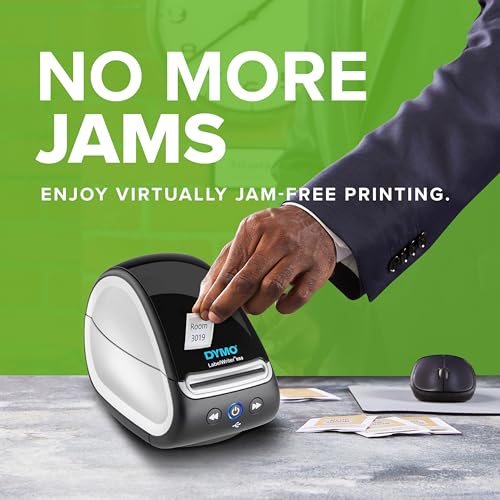
* Occasional label jams: While not a frequent occurrence, I’ve experienced the labels getting stuck in the machine a few times. It’s slightly annoying but manageable.
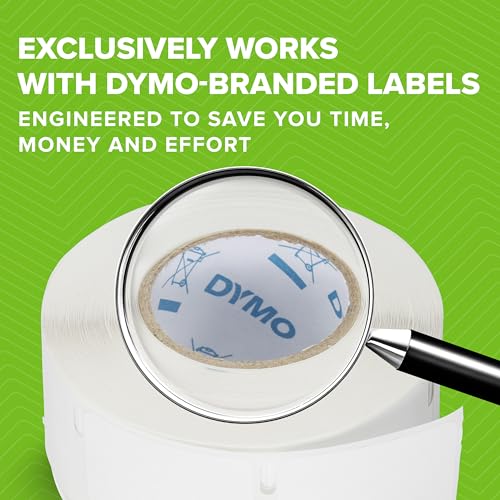
* Proprietary labels: Not being able to use generic labels is a bit of a downside, especially considering the cost of Dymo’s official cartridges. It would be great if there was more flexibility in this area.
Overall:
Despite the minor drawbacks, the Dymo Labelwriter 550 has become my go-to for all my labeling needs. Its ease of use, reliable performance, and high-quality output outweigh the occasional frustrations. It wouldn’t be perfect without wireless connectivity, but as it stands, I’d still give it a solid 9/10.
MISSI –
Love buying these for the office – This is a great price and quality!!
This is our 2nd purchase and we will be purchasing again!!
Thank you for making a great quality product!